Event highlight
Prayer Campaign
Praying together through our pastoral transition. As First Baptist Church enters a season of pastoral transition, we invite every member and friend of our church family to unite i…
Praying together through our pastoral transition. As First Baptist Church enters a season of pastoral transition, we invite every member and friend of our church family to unite i…
Are you in need of additional support during the Christmas season? Do you need assistance to honor the birth of our Savior through gift-giving for your children? First Baptist Chu…
First Baptist Church of Pittsburg, Ca is prayerfully seeking a called and committed Pastor. Applicants should have the abilities in: Teaching and preaching scripture with biblical…
Upcoming
In month view, hover over any day cell — a green + Event link will appear in that cell. Click it to start a new event on that date. You can also click the green Add Event button in the top-right of the calendar.
Fill in the title, start/end date and time, description, image, category, and location, then click Save or Save & Close to add the event to the calendar.
Click the All Categories dropdown at the top of the calendar, then click Manage Categories. From there you can add, rename, color, and delete categories.
You can also manage them on the fly while adding or editing an event — just click Manage next to the Category field. Locations work the same way: click Manage next to the Location field in the event editor to add or edit reusable locations.
When adding or editing an event, scroll to the bottom of the event editor and click More Options to expand the extra fields. The Registration URL field is in there — paste your sign-up or ticket link (Eventbrite, Google Form, your own site, etc.).
Click Save or Save & Close. A Register button will then show up on the event details popup so attendees can click straight through to register.
Click an event on the calendar to open its details. Use the pencil icon to edit it, or the trash icon to delete it.
For recurring events you'll be asked whether the change applies to only this occurrence or to the whole series.
In the event editor open the Repeats section and pick a pattern: daily, weekly, monthly, yearly, or custom. Set an end date or a number of occurrences.
Use Exclude Dates to skip specific days in the series, or Custom Dates to add extra one-off dates that aren't on the regular pattern.
Copy this link to share the event with others.
Get an email reminder before this event. This reminder only applies to the occurrence you are viewing, not the entire series.
Click a dotted date to exclude or restore that occurrence.
Choose the exact dates that should repeat for this custom pattern.
Sunday
10:00 am – Worship Service
10:00 am – Children’s Church *
* No CC on 2nd Sundays
Wednesday
11:00 am & 6:00 pm – Prayer Call
12:00 pm & 7:00 pm – Bible Study
Tuesday and Thursday
10:00 am – 4:00 pm – Food Pantry
Saturday
8:00 am – Prayer Call
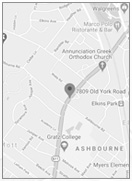
First Baptist Church
204 Odessa Avenue
Pittsburg, CA. 94565
Phone: (925) 432-7498